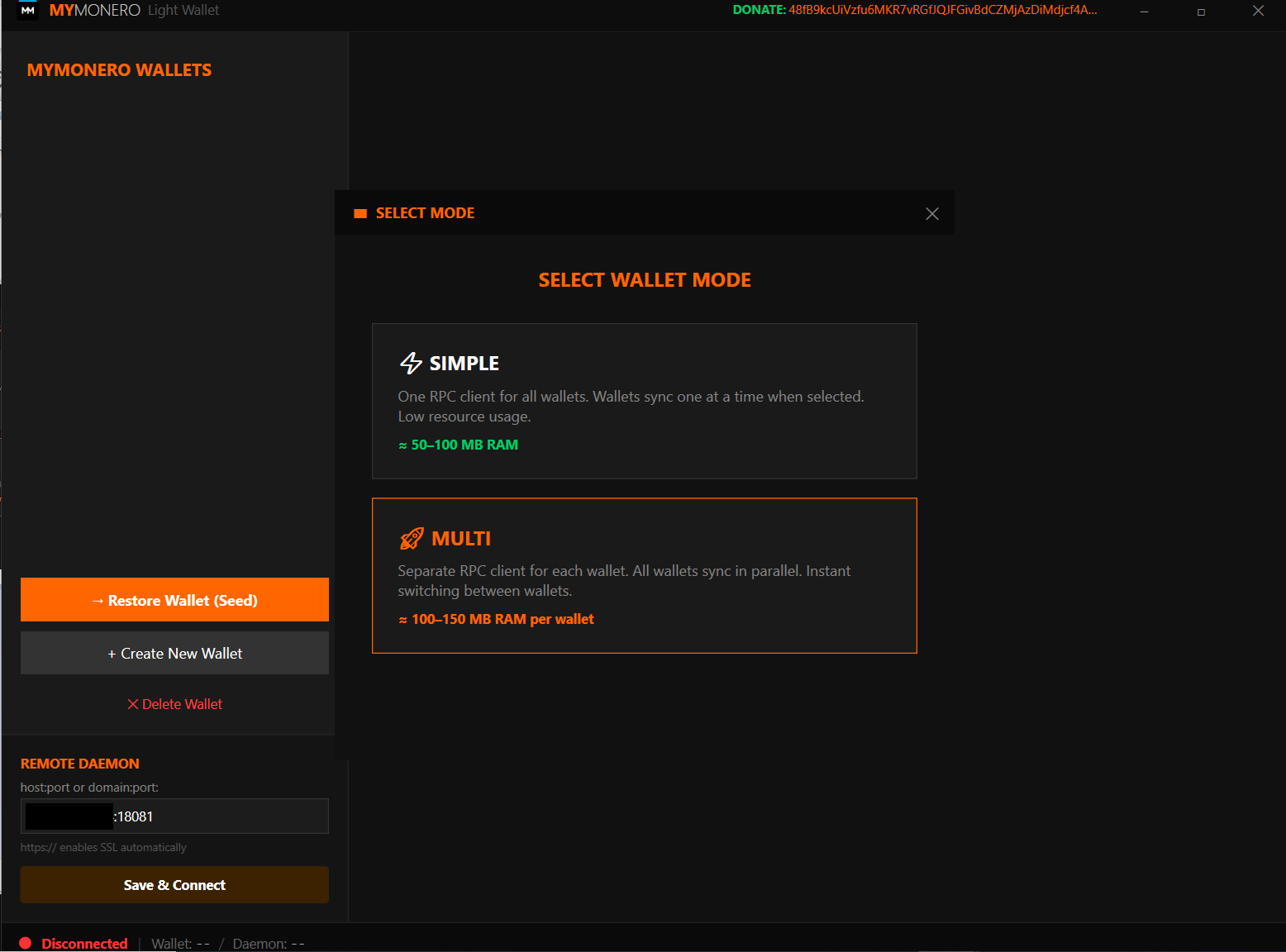
A lightweight WPF desktop client for Monero. The only wallet with Multi Mode — sync and monitor all your wallets at once, not one at a time.
Clean, dark interface designed for privacy-focused users
Everything you need, nothing you don't
The killer feature. Sync 5, 10, or 20 wallets at the same time. Each wallet runs its own RPC instance — no waiting, no switching.
One password protects everything. All wallets are encrypted. Sending XMR requires password re-entry — no accidental transfers.
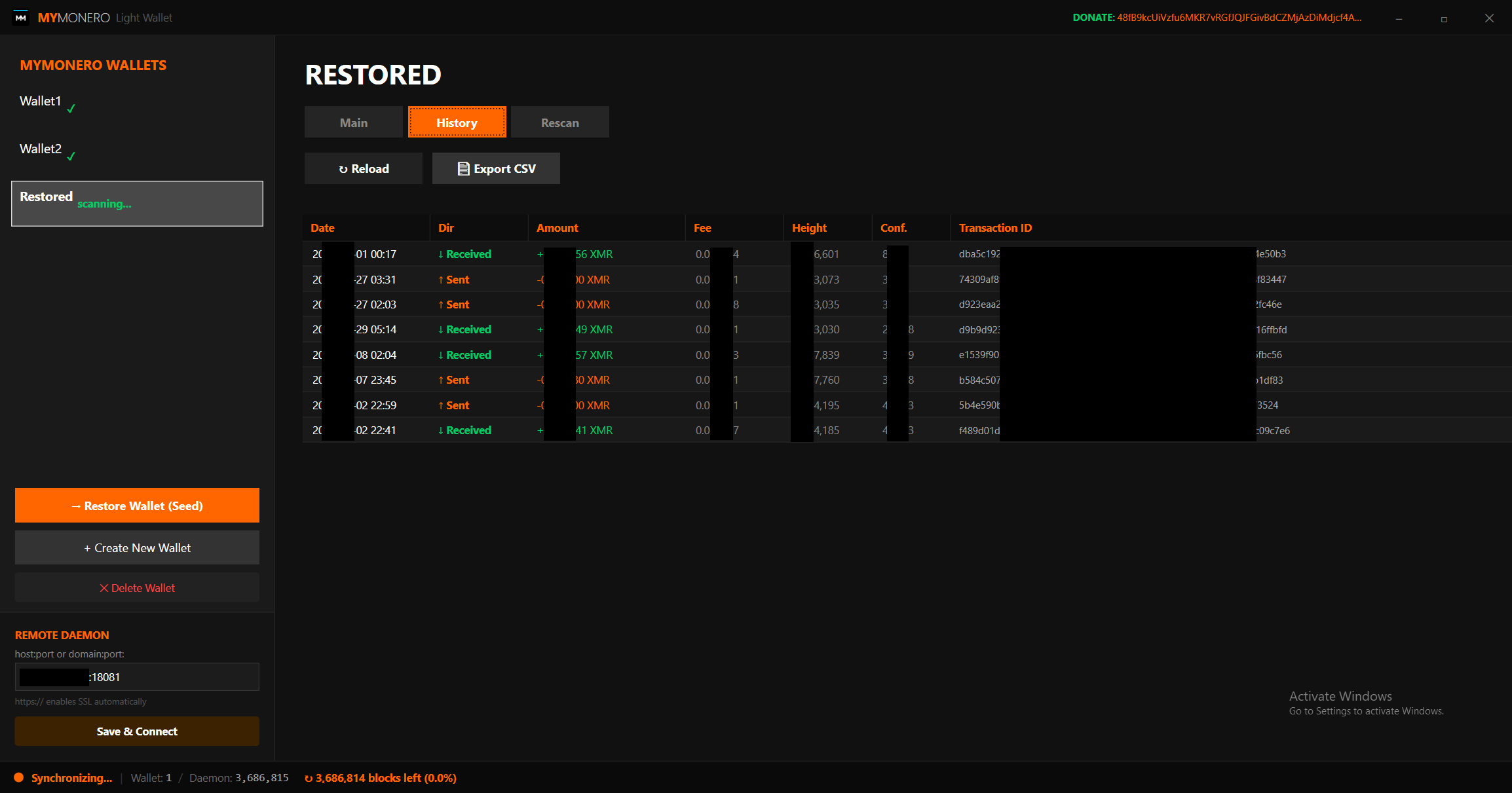
Full transaction log with CSV export. Click any TX ID to copy it. Filter by received, sent, pending — all in a clean data grid.
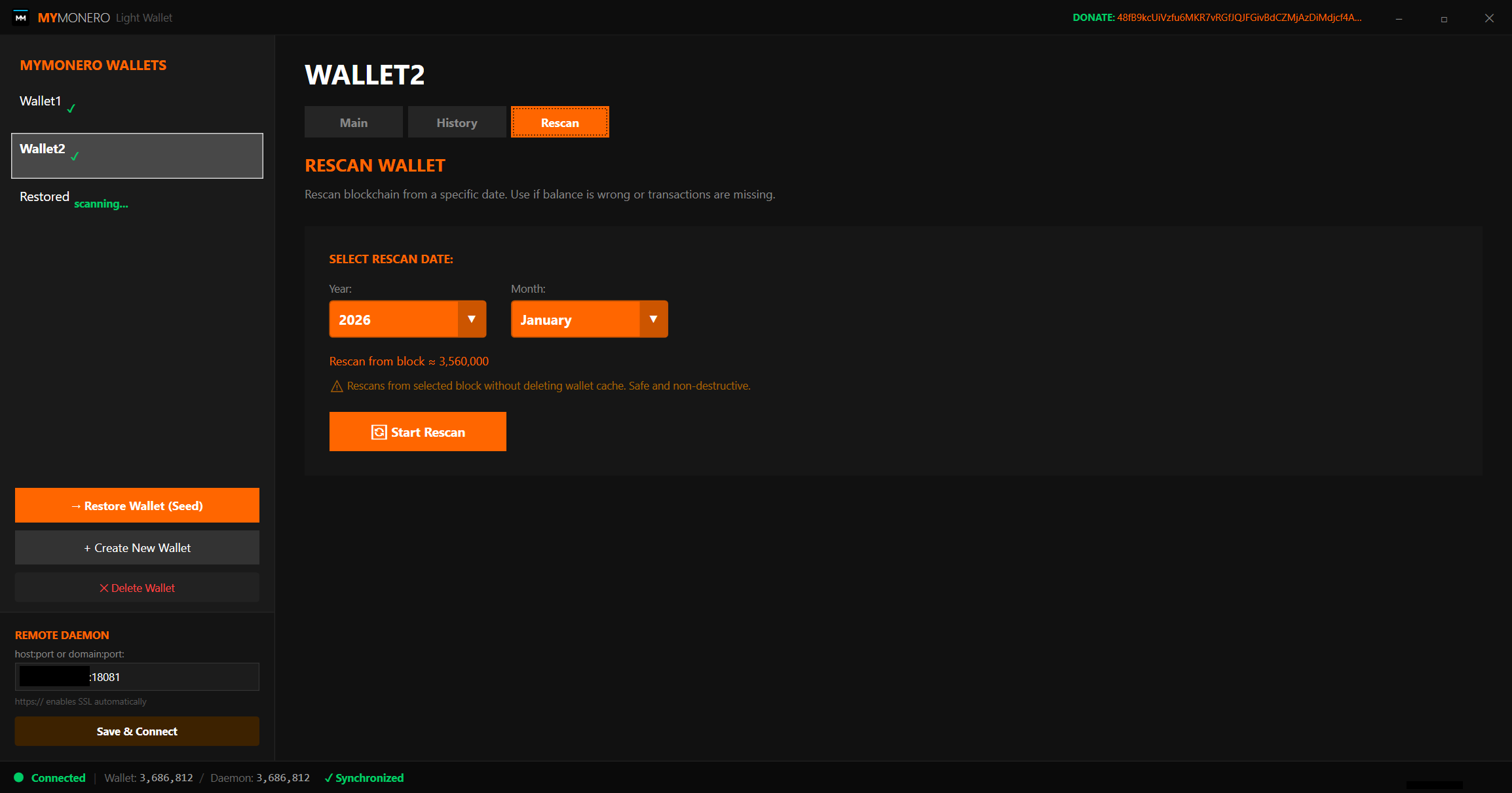
Pick any year and month — the wallet calculates the block height and rescans from there. Fix missing balances in minutes, not hours.
Connect to any remote node or run your own local monerod. HTTPS/SSL auto-detection. Switch nodes on the fly without restarting.
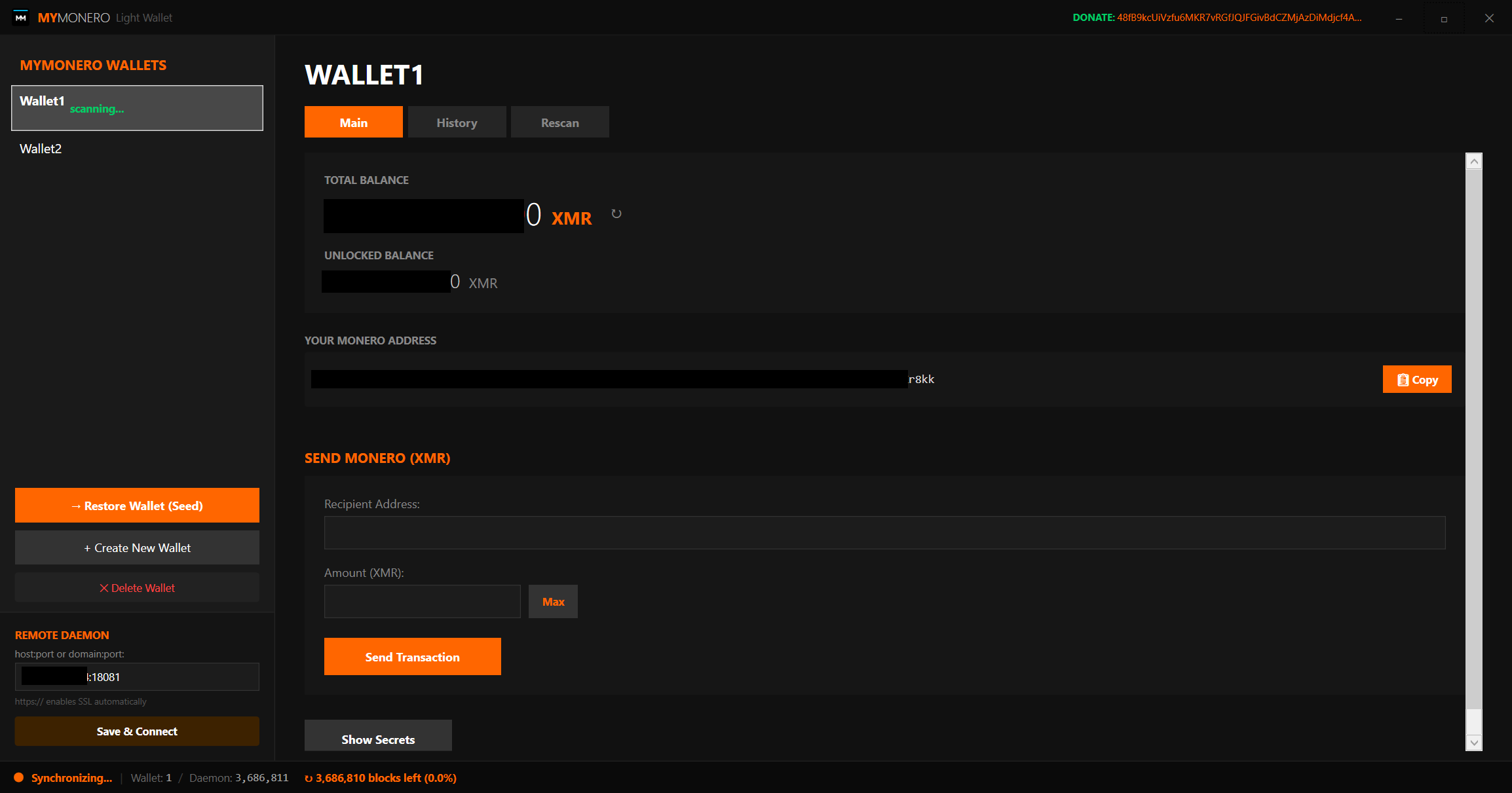
The "Max" button calculates the actual network fee before sending — not a guess, not a hardcoded number. You send the true maximum.
Custom-built dark interface with orange accents. No system dialogs — every popup, every confirmation is styled to match.
Single executable. No installation required. Drop it in a folder with monero-wallet-rpc and you're ready. Works on any Windows PC.
Traditional Monero wallets force you to open one wallet at a time. Close it, open another, wait for sync, repeat. If you manage multiple wallets, this wastes hours.
Multi Mode changes everything. Every wallet gets its own dedicated RPC process. They all sync in parallel from the moment you launch the app. Switch between wallets instantly — balances, transactions, and sync status are already there.
What this app is, how it works, and why your antivirus might not like it.
MyMonero Light Wallet is a graphical shell (GUI) for the official monero-wallet-rpc tool from the Monero Project. The app itself does not implement any cryptography or network protocol — it simply provides a user-friendly interface to interact with monero-wallet-rpc, which does all the heavy lifting: creating wallets, syncing the blockchain, signing transactions, and communicating with Monero nodes.
This is version 1.0 of the wallet. It is currently not digitally signed with a code signing certificate. This means Windows SmartScreen and antivirus software may show warnings when you launch the application for the first time. This is normal behavior for any unsigned software — it does not mean the app is malicious.
If the wallet proves useful to the community, we will obtain a code signing certificate and sign future releases to eliminate these warnings.
Your antivirus may flag two files in the package:
MoneroLightWallet.exe — flagged because it is unsigned. Any new, unsigned executable may trigger SmartScreen or heuristic detection.
monero-wallet-rpc.exe — flagged as a false positive. This is a well-known issue because crypto-mining malware often bundles official Monero binaries. The binary included is unmodified from the official Monero project.
To run the wallet, add its folder to your antivirus exclusion list:
Windows Security → Virus & threat protection → Manage settings → Exclusions → Add folder exclusion
monero-wallet-rpcThe engine behind the wallet. Here's what you need to know.
monero-wallet-rpc is an official tool from the Monero Project. It provides a JSON-RPC interface for wallet operations — creating wallets, checking balances, sending transactions. Our app launches it automatically in the background.
The download package includes a copy of monero-wallet-rpc.exe for convenience. It is the unmodified official binary from the Monero project. Your antivirus may flag it as a false positive — this is a known issue because crypto-mining malware often bundles Monero tools. The binary is safe.
If you prefer to verify the binary yourself, download the official Monero CLI tools directly from the Monero project:
→ getmonero.org/downloads
→ github.com/monero-project/monero/releases
Download the CLI package for your platform, extract monero-wallet-rpc.exe, and place it in the same folder as the wallet app. It will work identically.
Windows Defender and other antivirus software may quarantine monero-wallet-rpc.exe. To fix this, add the wallet folder to your antivirus exclusion list:
Windows Security → Virus & threat protection → Manage settings → Exclusions → Add folder exclusion
Note: The wallet connects to a remote Monero node by default. You can change the node address in Settings, or run your own local node with monerod for maximum privacy and faster sync.
Free, portable, lightweight. No installation required.
SHA256: YOUR_SHA256_HASH_HERE